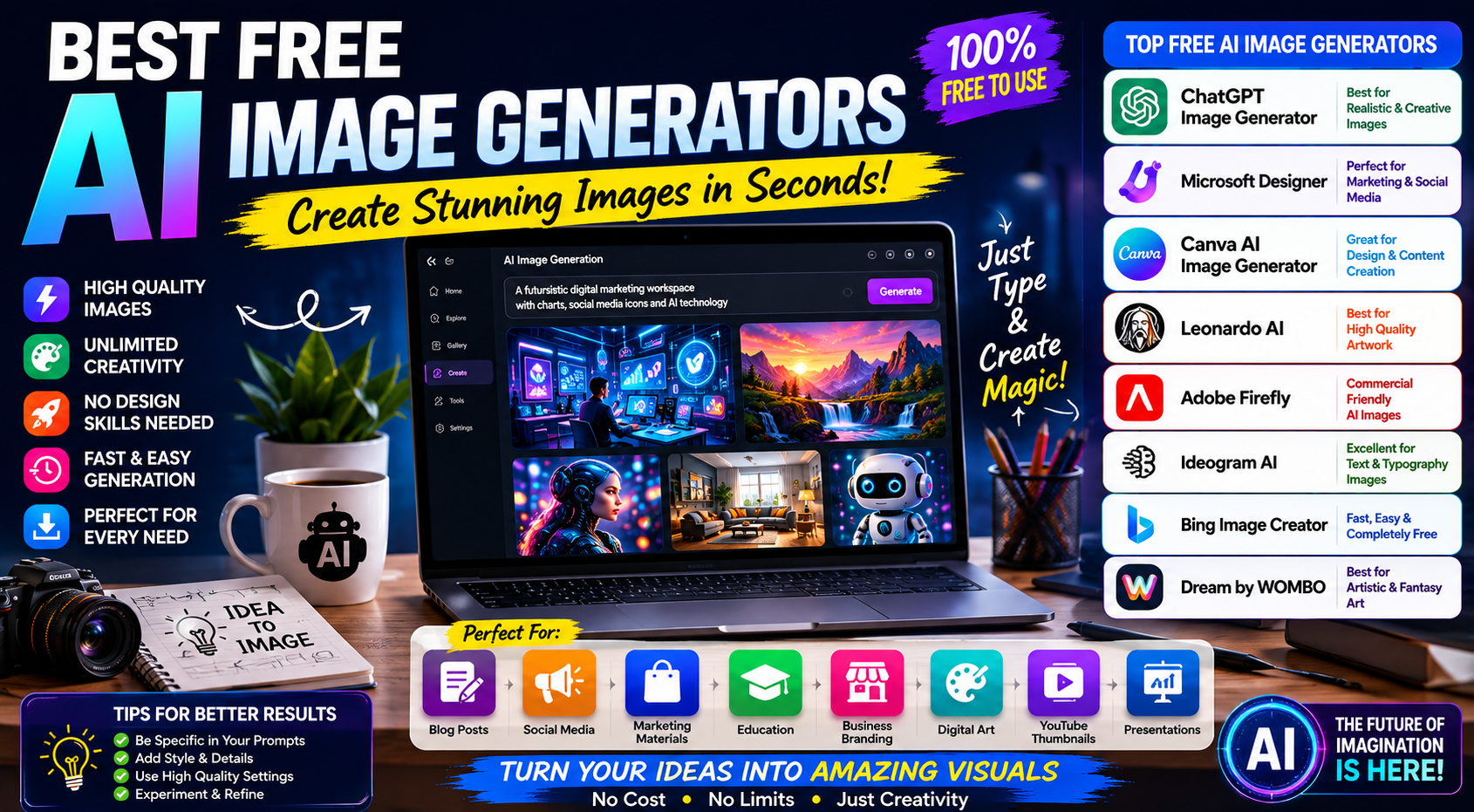
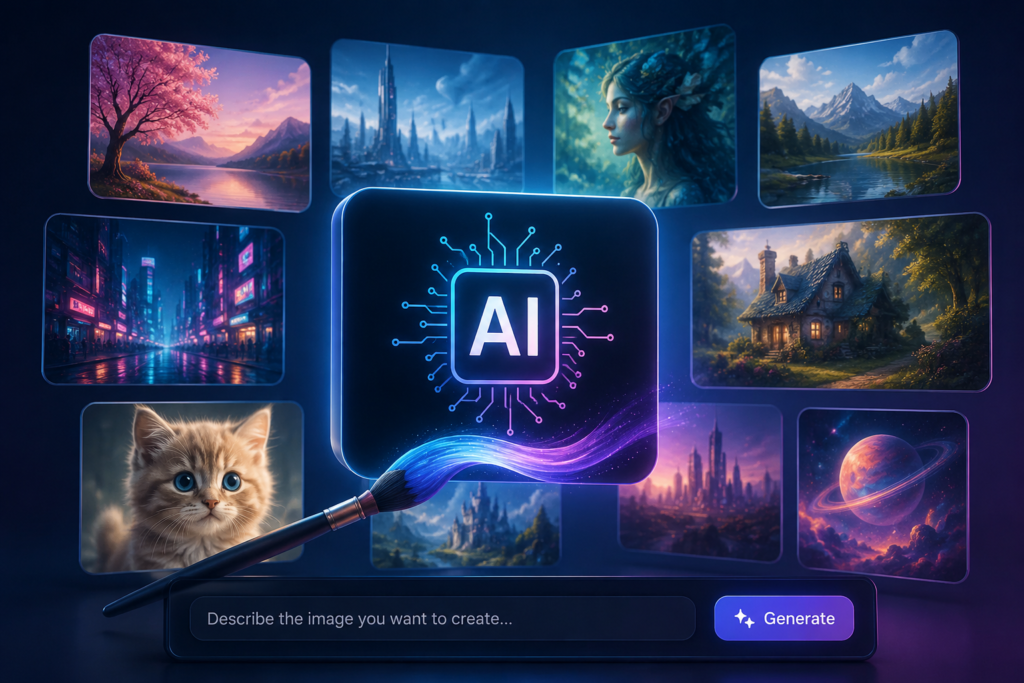
Artificial Intelligence is transforming the way people create images.
Just a few years ago, creating professional graphics required advanced design skills, expensive software, and hours of work.
Today?
You can generate high-quality images, illustrations, logos, social media graphics, marketing visuals, blog banners, and digital artwork simply by typing a few words.
The best part is that many AI image generators are completely free.
Whether you’re a student, blogger, content creator, marketer, business owner, or freelancer, AI image generation tools can help you create stunning visuals in minutes.
In this guide, we’ll explore the Best Free AI Image Generators in 2026, compare their features, discuss their strengths, and help you choose the right tool for your needs.
What Are Best Free AI Image Generators in 2026?
AI image generators use artificial intelligence to create images from text descriptions.
For example, you can type:
“A modern digital marketing office with laptops, SEO dashboards, and a professional team working together.”
Within seconds, the AI creates a unique image based on that description.
These tools use advanced machine learning models trained on millions of images to understand prompts and generate visuals.
Why AI Image Generators Are So Popular
AI-generated images save both time and money.
Benefits include:
✅ No design experience required
✅ Fast image creation
✅ Unlimited creativity
✅ Cost-effective content production
✅ Social media graphics
✅ Blog featured images
✅ Marketing materials
✅ Business branding concepts
For content creators and businesses, AI image tools have become productivity powerhouses.
1. ChatGPT Image Generator
One of the most powerful AI image creation tools available today is ChatGPT’s built-in image generation feature.
Key Features
- High-quality image generation
- Realistic images
- Marketing visuals
- Blog graphics
- Business illustrations
- Social media creatives
Best For
- Bloggers
- Digital marketers
- Students
- Businesses
Why It’s Popular
Simple prompts can generate professional-quality visuals within seconds.
2. Microsoft Designer
Microsoft Designer offers a powerful AI image generation experience.
Features
- AI image creation
- Social media graphics
- Marketing designs
- Presentation visuals
Best For
Business owners and marketers.
Benefits
Easy-to-use interface with strong design capabilities.
3. Canva AI Image Generator
Canva has become one of the most popular design platforms in the world.
Its AI image generation tools make content creation even easier.
Features
- Text-to-image generation
- Graphic design integration
- Presentation creation
- Social media content
Best For
- Instagram posts
- Business graphics
- Marketing materials
Why Users Love It
Everything stays inside the Canva ecosystem.
4. Leonardo AI
Leonardo AI has quickly gained popularity among creators.
Features
- High-quality artwork
- Game assets
- Character design
- Realistic visuals
Best For
- Designers
- Artists
- Content creators
Strength
Exceptional image quality and customization options.
5. Adobe Firefly
Adobe Firefly combines AI creativity with Adobe’s design expertise.
Features
- Text-to-image generation
- Commercial-friendly outputs
- Graphic design integration
Best For
Professional creators.
Advantages
Strong integration with Adobe tools.
6. Ideogram AI
Ideogram has become famous for generating images that include text effectively.
Features
- AI-generated typography
- Posters
- Logos
- Advertising creatives
Best For
Businesses and marketers.
Why It Stands Out
Text rendering is significantly better than many competitors.
7. Playground AI
Playground AI offers a user-friendly image generation experience.
Features
- Photo editing
- AI image generation
- Style customization
Best For
Beginners exploring AI creativity.
Benefits
Easy learning curve.
8. Bing Image Creator
Powered by advanced AI models, Bing Image Creator remains one of the most popular Best free Ai Image Generators in 2026 tools.
Features
- Text-to-image creation
- Fast generation
- High-quality visuals
Best For
General-purpose image creation.
Why It’s Popular
Completely accessible and easy to use.
9. Dream by WOMBO
Dream focuses heavily on artistic image generation.
Features
- Artistic styles
- Fantasy artwork
- Creative illustrations
Best For
Creative projects and digital art.
10. Craiyon
Previously known as DALL·E Mini, Craiyon remains a beginner-friendly option.
Features
- Simple image generation
- Quick results
- Free access
Best For
Experimentation and casual use.
Best AI Image Generators for Different Needs
Different users have different goals.
Let’s match the right tool to the right purpose.
Best for Bloggers
- ChatGPT Image Generator
- Canva AI
- Bing Image Creator
These tools help create:
- Featured images
- Blog banners
- Article illustrations
Best for Students
- Canva AI
- Bing Image Creator
- Microsoft Designer
Perfect for:
- Projects
- Presentations
- Educational graphics
Best for Businesses
- ChatGPT Image Generator
- Adobe Firefly
- Ideogram AI
Useful for:
- Marketing materials
- Advertising creatives
- Branding concepts
Best for Social Media Creators
- Canva AI
- Leonardo AI
- Microsoft Designer
Ideal for:
- Instagram graphics
- Facebook posts
- LinkedIn visuals
Best for Artists
- Leonardo AI
- Dream by WOMBO
- Playground AI
Designed for:
- Artwork
- Illustrations
- Character creation
How to Write Better AI Image Prompts
The quality of your prompt directly affects the quality of your image.
Weak Prompt
“Digital marketing”
Better Prompt
“Modern digital marketing agency office with professional team members working on SEO dashboards, realistic lighting, ultra-detailed, 4K quality.”
Notice the difference.
The second prompt gives the AI much more context.
Prompt Formula for Better Results
Use this structure:
Subject
What should appear?
Style
Realistic, cartoon, illustration, cinematic, etc.
Details
Colors, environment, objects.
Quality
4K, ultra-detailed, professional.
Example
“Professional SEO expert working on multiple monitors displaying analytics dashboards in a modern office, realistic photography, natural lighting, ultra-detailed, 4K.”
AI Image Generation Tips for Businesses
Businesses can use AI-generated images for:
Blog Content
Featured images for articles.
Social Media Marketing
Engaging graphics.
Website Banners
Custom visuals.
Landing Pages
Conversion-focused designs.
Advertising Campaigns
Creative ad concepts.
Email Marketing
Visual content for newsletters.
This can significantly reduce graphic design costs.
Common Mistakes to Avoid
Writing Vague Prompts
Specific prompts generate better results.
Ignoring Image Quality Settings
Always choose the highest quality available.
Overcomplicating Prompts
Keep instructions detailed but clear.
Forgetting Branding Consistency
Use similar colors and styles across marketing materials.
AI Image Generators vs Stock Photos
Many creators wonder which is better.
Stock Photos
Pros:
- Professional photography
- Instant availability
Cons:
- Limited uniqueness
- Shared by many users
AI Images
Pros:
- Unique visuals
- Unlimited creativity
- Custom branding opportunities
Cons:
- Requires prompt experimentation
Many businesses now combine both approaches.
How Bloggers Can Use AI Images
Bloggers can create:
- Featured images
- Infographics
- Tutorial graphics
- Social media visuals
- Pinterest pins
For websites targeting Google AdSense approval, original visuals can also help improve user experience.
AI Images and SEO
Images can improve SEO when optimized correctly.
Best Practices
- Compress images
- Add descriptive file names
- Use alt text
- Choose relevant visuals
- Improve page speed
Visual content increases engagement and time on site.
Frequently Asked Questions
Are Best Free AI image generators in 2026 free?
Many AI image generators offer free plans with generous usage limits. Some also provide premium upgrades for additional features.
Which Best Free AI image generators in 2026 is best for beginners?
Canva AI, Bing Image Creator, and ChatGPT Image Generator are among the easiest tools for beginners.
Can businesses use AI-generated images?
Yes. Businesses use AI-generated images for marketing, websites, social media, advertising, and content creation.
Do I need design skills to use Best Free AI image generators in 2026?
No. Most tools simply require text prompts describing the image you want to create.
Final Thoughts
Best Free AI image generators in 2026 has opened creative opportunities for everyone.
You no longer need expensive software or advanced design skills to create professional visuals.
Whether you’re a student creating presentations, a blogger writing articles, a business owner promoting services, or a marketer building campaigns, Best Free AI image generators in 2026 can save time, reduce costs, and boost creativity.
Start with a few tools from this list.
Experiment with prompts.
Learn what works best for your goals.
The more you practice prompt writing, the better your AI-generated images will become.
In 2026, visual content is more important than ever—and AI makes creating it easier than ever before.
Digital Marketing Strategist at Growstrom
Prashant Kumar is a Digital Marketing Strategist at Growstrom, specializing in SEO, Local SEO, Google Ads, Meta Ads, and digital marketing strategies. He works on practical search optimization and lead-generation strategies to help businesses improve their online visibility, website traffic, and qualified leads.